
How to Report Copyright Infringement on Facebook
Introduction
Copyright infringement on social media has become increasingly common, especially on platforms with massive user-generated content like Facebook.
From stolen images and videos to unauthorized re-uploads of original content, these violations can seriously harm creators, brands, and businesses.
This guide explains how to properly report copyright infringement on Facebook, what information is required, and how to avoid common mistakes that lead to automatic rejection.
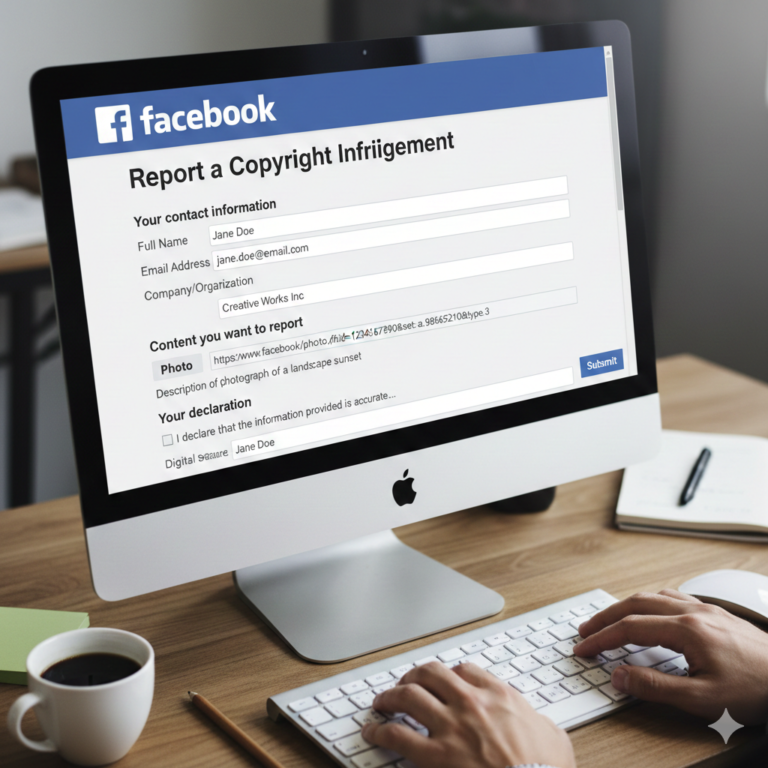
What Counts as Copyright Infringement on Facebook?
You may file a copyright report if the content includes, without authorization:
-
Original photos or images
-
Videos (including reels and livestreams)
-
Written content (articles, captions, blog posts)
-
Music or audio recordings
-
Graphic designs, illustrations, or digital artwork
⚠️ Important: Copyright protects original works, not ideas, facts, or brand names (those fall under trademark law).
Who Can Submit a Copyright Report?
Only the following parties are eligible:
-
The copyright owner
-
An authorized representative (lawyer, agency, brand protection firm)
-
A company acting under a Power of Attorney (PoA) or Letter of Authorization (LoA)
Submitting reports without proper authority often results in automatic closure.
Step-by-Step: How to Report Copyright Infringement on Facebook
Step 1: Access the Official Copyright Report Form
Use Facebook’s official form for copyright issues:
👉 https://www.facebook.com/help/contact/1758255661104383
Always use the official channel—reports submitted elsewhere are ignored.
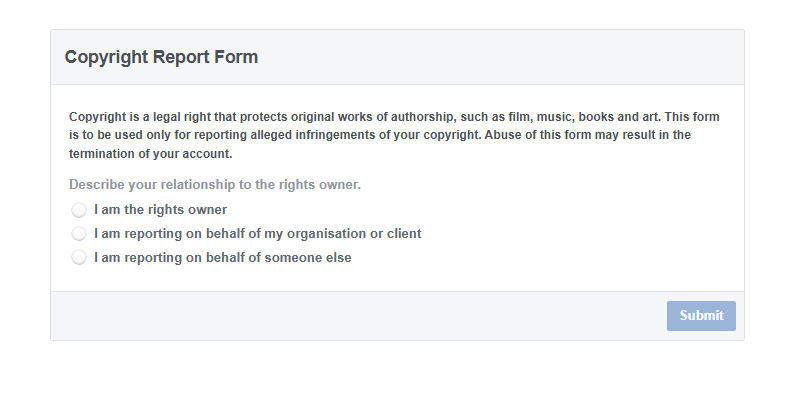
Step 2: Select Your Relationship to the Rights Owner
Choose the option that accurately reflects your role:
-
“I am the copyright owner”
-
“I am an authorized representative”
📌 Tip: If you are acting on behalf of a client, consistency between this selection and your written explanation is critical.
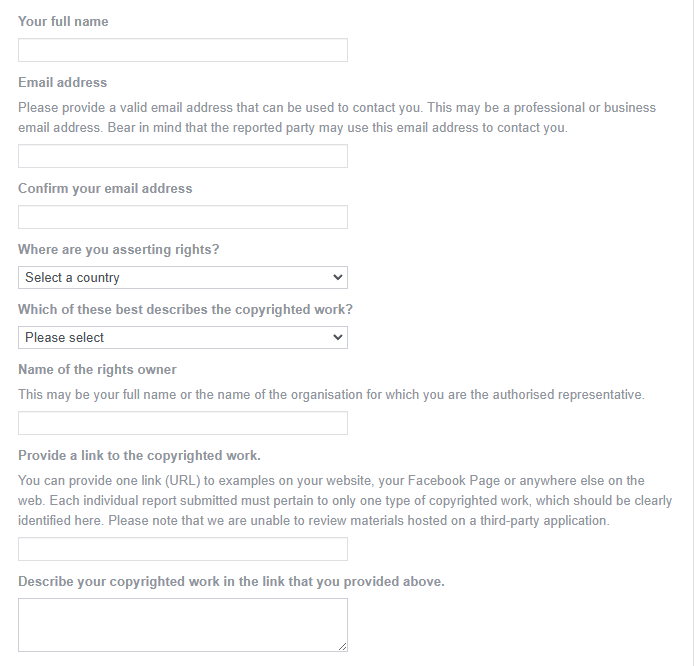
Step 3: Identify the Copyrighted Work
Provide a clear and specific description of the original work, for example:
-
“Original product photography created and owned by [Company Name]”
-
“Original video content first published on [official website / page]”
-
“Copyright-protected marketing visuals designed in-house”
Whenever possible, include:
-
A link to the original content
-
The date of first publication
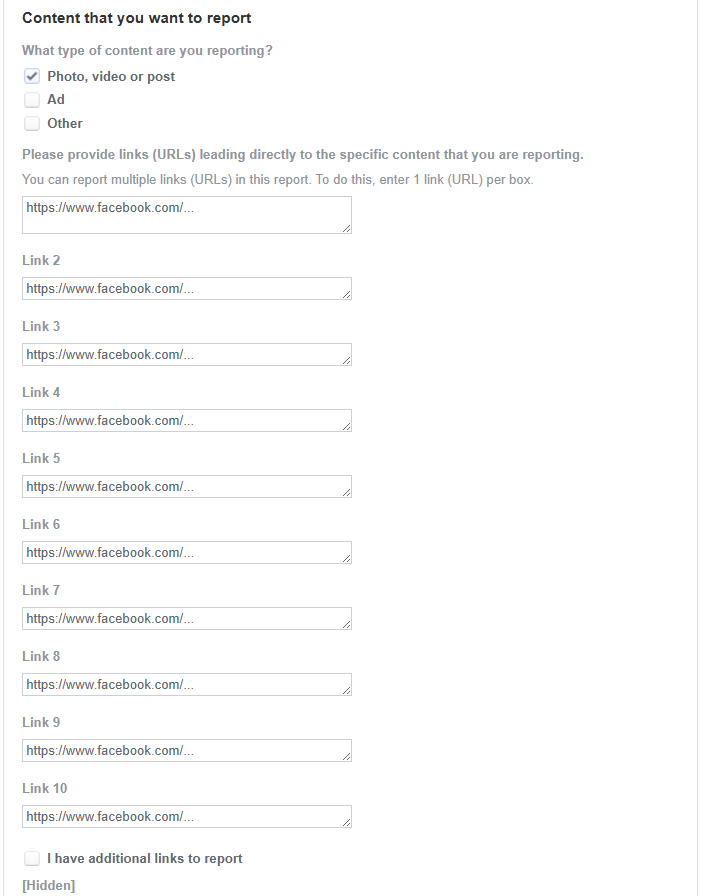
Step 4: Provide URLs of the Infringing Content
Paste direct URLs to each infringing post, page, reel, or video.
✔ Use one URL per line
✖ Do not link to profiles or search results
If there are multiple infringements, list them clearly and systematically.
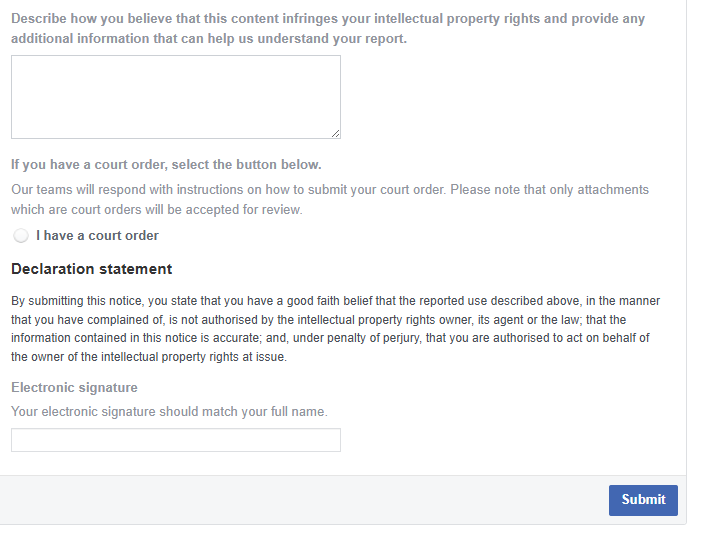
Step 5: Write the Infringement Description (Critical Section)
This is where many reports fail.
A strong description should:
-
Clearly state ownership
-
Confirm lack of authorization
-
Explain how the content is identical or substantially similar
Sample wording:
“The reported content reproduces and displays our client’s original copyrighted work without permission. The copyright owner has never authorized the use, reproduction, or distribution of this content on Facebook. This unauthorized use constitutes copyright infringement.”
Keep the tone professional, factual, and concise.
Step 6: Submit Legal Declarations
You must confirm that:
-
You have a good-faith belief the use is unauthorized
-
The information provided is accurate
-
You understand the legal consequences of false reporting
⚠️ These declarations are made under penalty of perjury.
Step 7: Sign and Submit
Use your real legal name (or company name).
Avoid nicknames, aliases, or mismatched identities.
After submission, Facebook will issue a case/reference number by email.
What Happens After You Submit the Report?
-
Facebook reviews the report (often using automated systems first)
-
If approved, the content is removed
-
The uploader may receive your name, email, and complaint summary
-
The uploader may file a DMCA counter-notification
If a counter-notification is filed, further legal steps may be required.
Common Reasons Copyright Reports Are Rejected
-
Reporting trademark issues as copyright
-
Vague descriptions of the original work
-
Missing authorization proof
-
Inconsistent identity or role selection
-
Using non-official reporting channels
At Shieldify IP, we routinely see valid claims closed due to form-filling errors, not legal weakness.
Best Practices from Shieldify IP
-
Always prepare authorization documents in advance
-
Use a professional email address
-
Keep descriptions short, legal, and consistent
-
Track complaint IDs and response timelines
-
Escalate systematically if automated closures occur
Need Professional Support?
Copyright enforcement on Facebook can be complex, especially at scale or across multiple jurisdictions.
Shieldify IP assists creators and businesses with:
-
Copyright takedown submissions
-
Representative authorization setup
-
Counter-notification handling
-
Escalation strategies for repeated infringements
📩 Contact us via shieldifyip.com to protect your rights effectively.